


What do I need a prepaid card for?
Prepaid cards are payment cards that you top up with credit in advance. They work much like debit or credit cards, but without a credit limit.
The Tmoney Card is the standard for local transport in South Korea. You use it on the subway and buses across the whole country, in many taxis and to pay in convenience stores, supermarkets, cafés and at vending machines. In Seoul, Busan, Daegu and most other cities it works without any restrictions.
With one single exception at the street food stalls, where only cash was accepted, I was able to pay comfortably with my Tmoney Card everywhere. It really worked that easily! I had it with me digitally in my Apple Wallet on the iPhone.
The big advantage over single tickets: you just hold the card against the reader when you get on and off, and you don’t have to worry about zones and fares. Important: on the bus you have to tap when you get on and when you get off. If you forget to tap out, you may be charged a surcharge the next time.
Tmoney or Cashbee?
Besides Tmoney there is also the Cashbee Card. Both work in principle the same way, but Tmoney is far more widespread and the safer choice outside the big cities. For a normal trip through South Korea, go with Tmoney.
How to get the Tmoney Card
Unlike in Japan there is no special tourist card you have to order in advance. You simply buy the Tmoney Card on the spot, and you can get it everywhere:
- Convenience stores: GS25, CU, 7-Eleven, Ministop. That’s the easiest way, there is one on every corner.
- Subway stations: at the machines and counters.
- Incheon Airport: in the Transit Center on level B1.
The price of the card is not a deposit, it is the purchase price. You won’t get it back at the end, the card is yours and stays valid for several years. There is no credit on it when you buy it.
My tip
If you own an iPhone, the digital Tmoney Card is far easier. You can top it up straight from your phone and don’t need any cash for it. More on that under Topping up and refunding on the iPhone.
Alternatives to the Tmoney Card
- WOWPASS – a combination of payment card and Tmoney that you can top up at machines with foreign currency. Handy if you don’t want to exchange much cash.
- Climate Card – a time-based pass for Seoul with unlimited rides on the subway and buses, available for 1 to 7 days. Worth it if you are staying in Seoul only and are out and about a lot.
Set up the Tmoney Card on your smartphone
This is where South Korea is considerably more complicated than Japan, where the card sits in your wallet within two minutes. One thing at a time:
Android
There is currently no workable solution for travellers here. Google Pay has not officially launched in South Korea, and Samsung Pay requires a Korean bank account.
iPhone
Since July 2025 Tmoney has been available in the Apple Wallet. You can use it to pay at the subway gates and on the buses with your iPhone. Since 2026 topping up the balance has become reasonably easy as well. More on that under Topping up and refunding on the iPhone.
To set it up you first need the official Tmoney app. You can download it directly from the App Store.
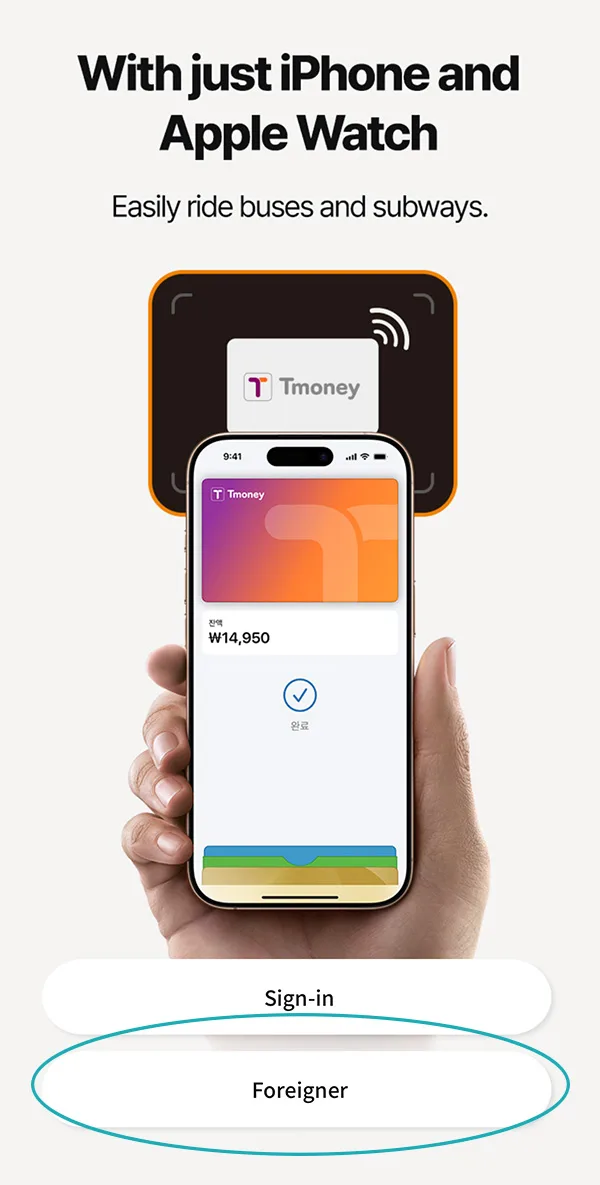
Once you have installed and opened the app, select Foreigner.
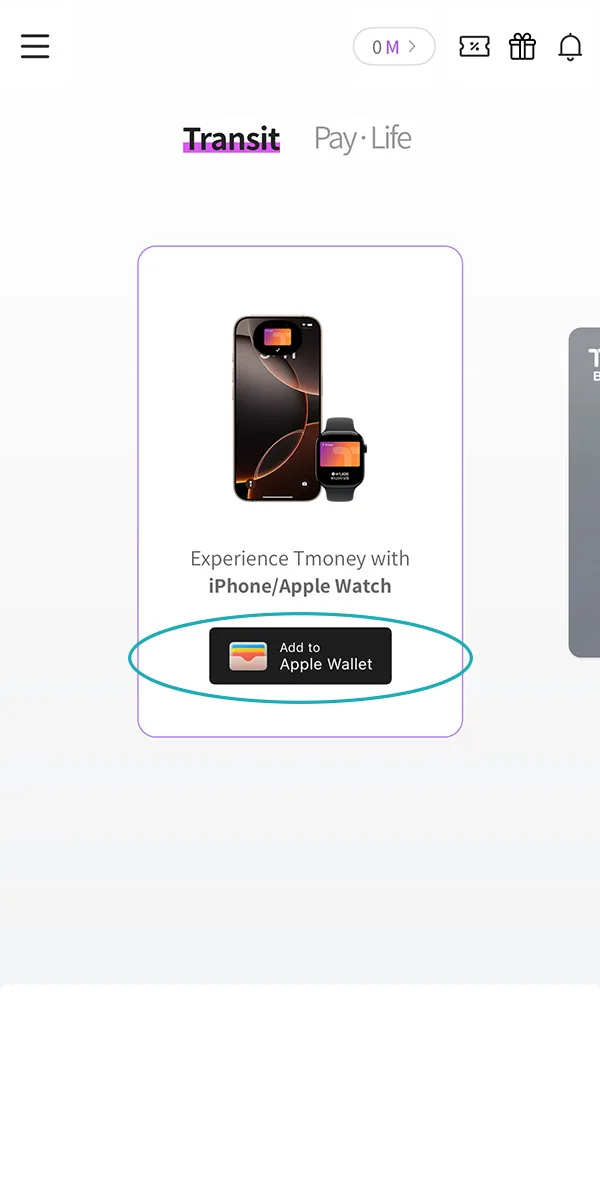
Now you can add the Tmoney Card to your Apple Wallet using the button.
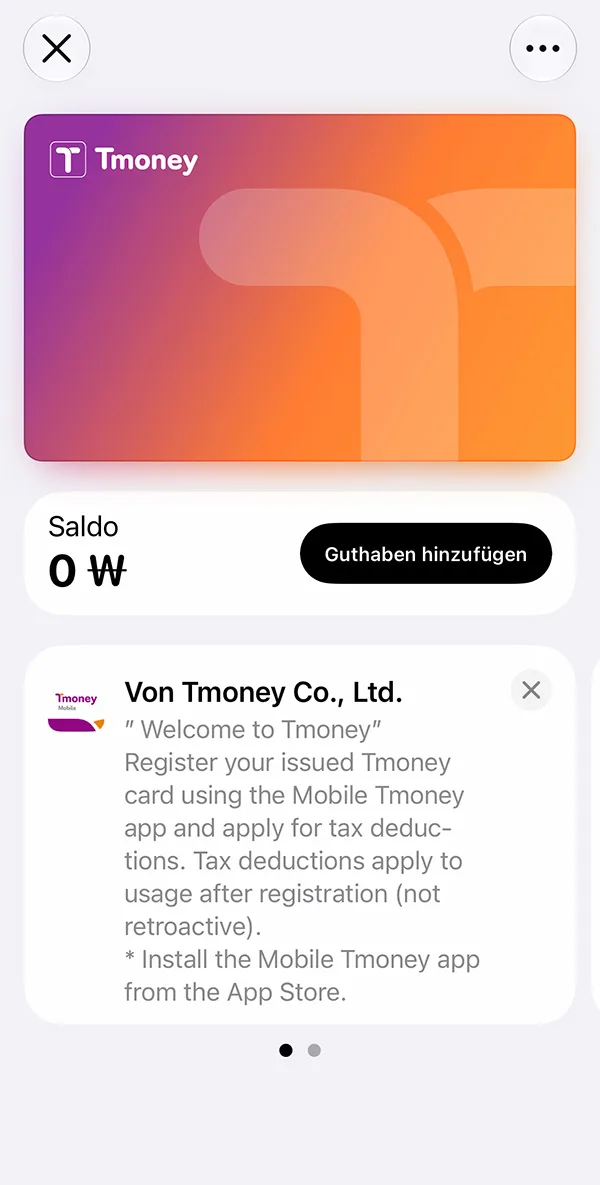
The Tmoney Card has been added. How to top it up is explained under Topping up and refunding on the iPhone.
Topping up and refunding the physical card
Topping up the card
The easiest way is in a convenience store: put the card on the counter, name the amount, pay in cash. Takes ten seconds and works around the clock. Alternatively you can use the machines in the subway stations, which are located inside the gates.
You top up in steps from 1,000 Won. As a starting balance, 20,000 to 30,000 Won is a good figure for the first few days, and you can top up again at any time.
Important: Topping up generally only works with cash. So always plan for a bit of Won in your pocket, even if you pay for everything else by card. That was also the reason for me to install the Tmoney Card on the iPhone.
Refunding the card
You get the remaining balance back at the end of your trip – in cash, at the counter of larger convenience stores or in subway stations. A fee of 500 Won is deducted from the balance. Only the full remaining amount can be refunded. The price of the card is not refunded.
Topping up and refunding on the iPhone
Topping up the card
To top up you need Apple Pay. It’s best to have a Mastercard stored there. Amex and UnionPay also work without restrictions, Visa only works to a limited extent. It’s best to check the official sites for the current state of things.
Open the separately installed Tmoney app again and select Foreigner once more.
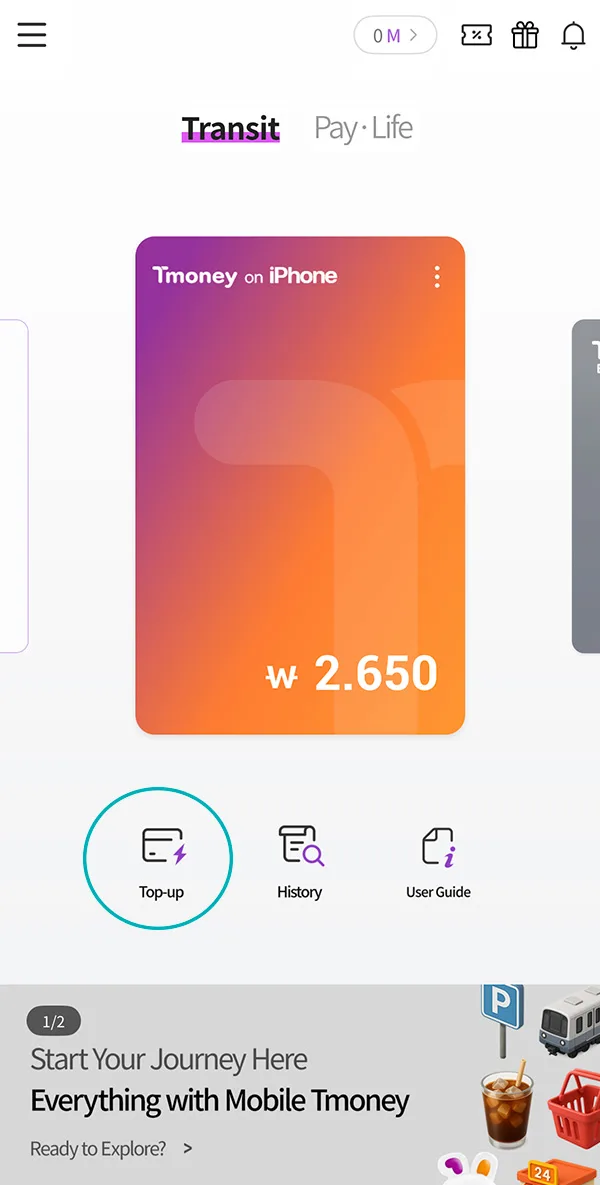
Your Tmoney Card is now shown with the current balance. Select Top up.
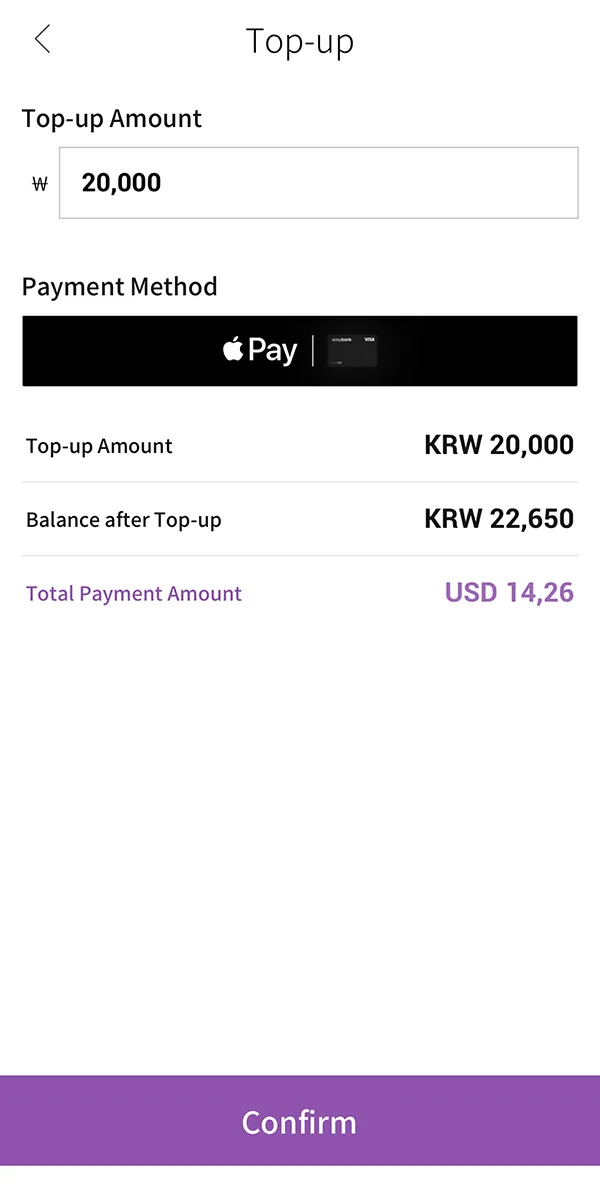
Choose the amount and confirm with the Confirm button.
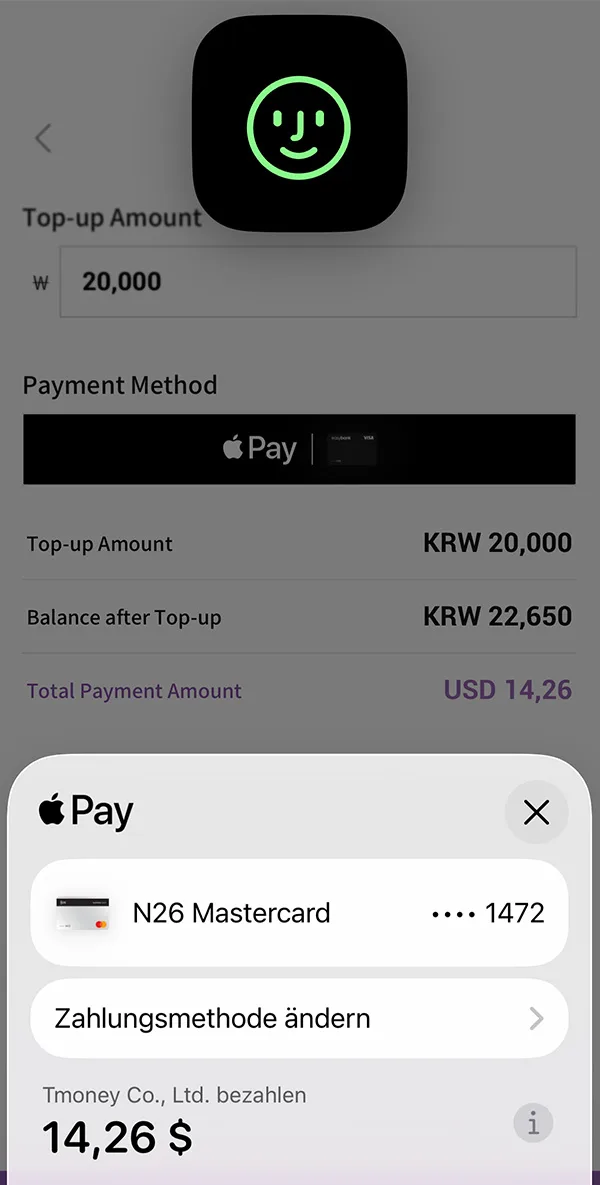
Your purchase is now confirmed with Apple Pay and your Tmoney Card is topped up.
Refunding the card
Unfortunately the remaining balance cannot be refunded on the digital Tmoney Card. It’s best not to top up too much towards the end of your trip.
Official Links
- Tmoney (official site): https://www.t-money.co.kr/
- Korea Tour Card: https://www.koreatourcard.kr/
- WOWPASS: https://www.wowpass.io/
- Visit Seoul – Climate Card: https://english.visitseoul.net/
Related posts
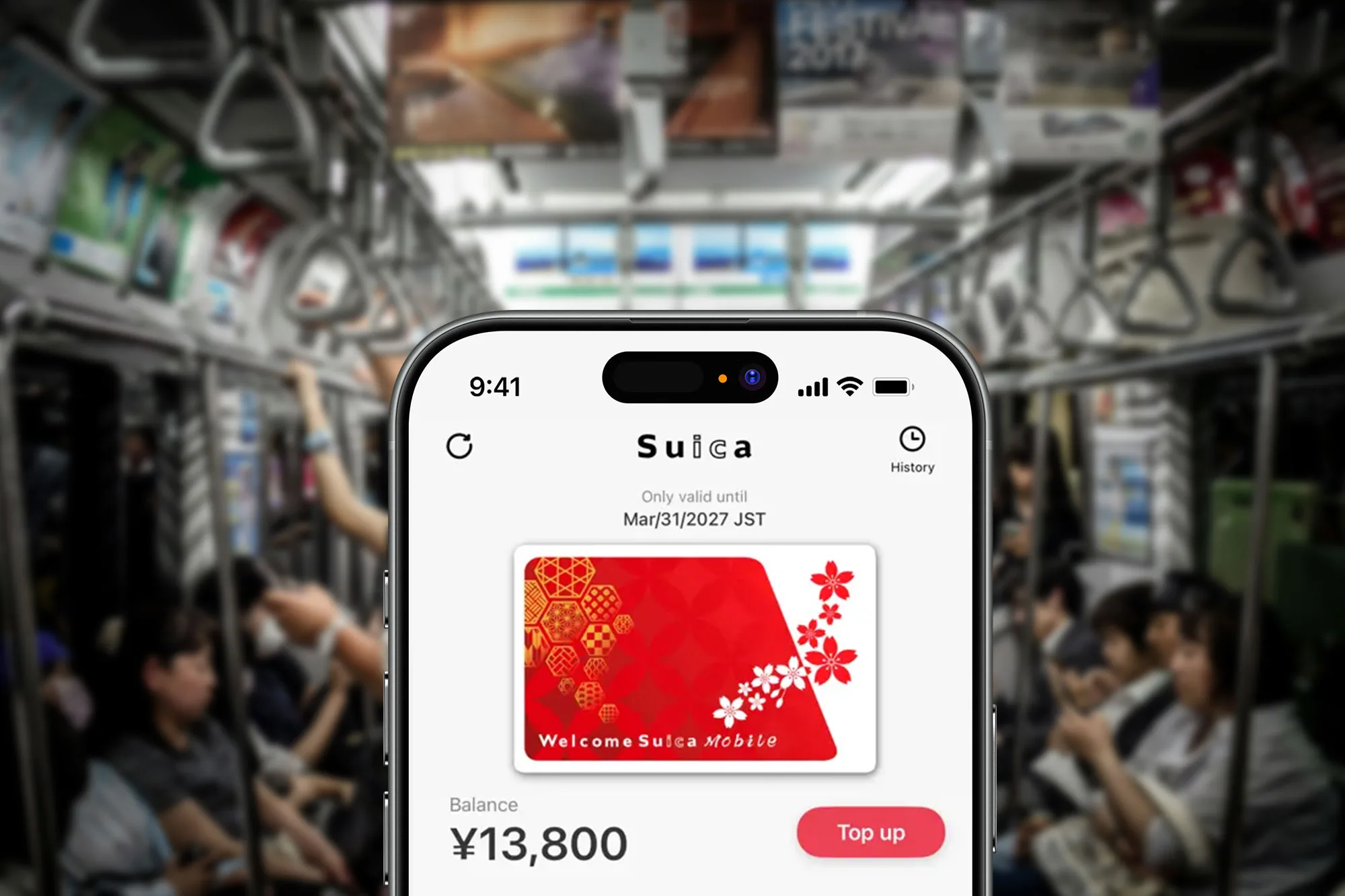
Japan Prepaid Cards 2025 – The Welcome Suica Mobile App
All the benefits, features, and whether the digital Suica prepaid card is worth it for your trip to Japan.
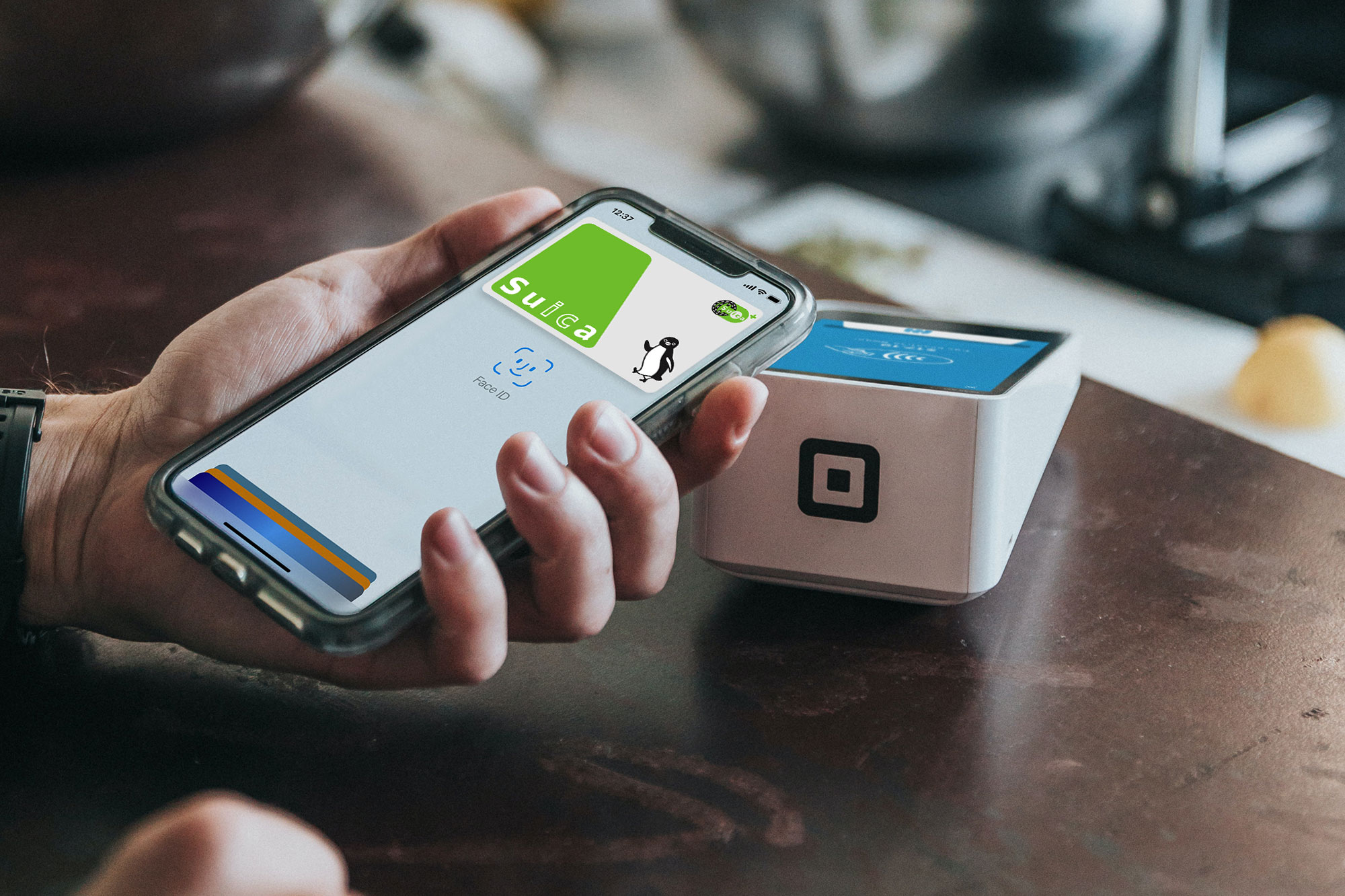
Suica, PASMO and ICOCA – Prepaid cards in Japan
Suica, PASMO, and ICOCA are prepaid cards used in Japan for public transportation as well as for payments in stores and vending machines.

Sky Capsule Ride – Busan’s most beautiful train ride
Sky Capsule in Busan: which direction to book, how to get tickets, the difference to the Beach Train and my suggestion for the perfect day.

Gamcheon Culture Village – Hidden Gem or Scam?
Gamcheon Culture Village in Busan: overrun and full of Instagram spots - and still worth a visit. Why the walk up pays off and where it is genuinely beautiful.
Questions, tips or notes?
Write a comment or send me an E-Mail…